
Download Unlimited Proxy for PC – Anonymous Browsing, No Registration, Secure Connection
Overview
Unlimited Proxy for PC is a mobile application designed to enhance online privacy and anonymity for users seeking unrestricted web access. The app functions as a proxy tool that allows users to route their internet traffic through remote servers, masking their real IP address and location. It is particularly useful for individuals who require discreet browsing, such as journalists, researchers, or users in regions with restricted internet access. The application solves the common problem of online surveillance and geo-blocking by offering a simple, secure connection path.
Target users include privacy-conscious individuals, digital nomads, and anyone who values control over their online footprint. The app’s design emphasizes immediate usability without the need for complex setup. Notably, the developer has prioritized user privacy by eliminating the requirement for registration or login, a feature that sets it apart from many similar tools. This approach ensures that no personal data is collected during use, reinforcing its commitment to anonymity.
While the developer’s background is not publicly disclosed, the app’s long-standing presence since its release on December 18, 2018, suggests a stable and reliable service. It integrates seamlessly with the Telegram desktop app, enabling users to access the platform without exposing their identity. In the broader app ecosystem, Unlimited Proxy for PC occupies a niche role as a lightweight, privacy-first utility that supports digital freedom without friction.
Key Features & Functionality
- No Registration Required: Users can start using the app immediately without creating an account or providing personal details. This eliminates the risk of data harvesting and simplifies access for temporary or high-anonymity use cases.
- Privacy Focused Design: The app does not store user logs or browsing history, ensuring that online activities remain private and untraceable. This feature is especially valuable for users in sensitive environments or those accessing restricted content.
- Simple, Intuitive Interface: The user interface is minimalistic and straightforward, allowing users to connect to the proxy with a single tap. This design is accessible to non-technical users and reduces the learning curve.
- Ad-Free Experience: There are no advertisements displayed within the app, which contributes to a clean, distraction-free browsing environment. This enhances both usability and performance.
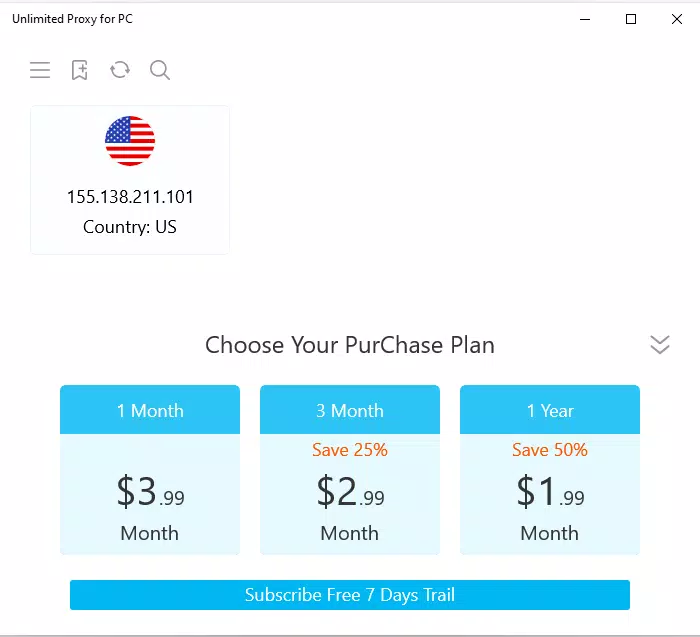
- Flexible Subscription Plans: A free one-day trial is available, followed by options for monthly, quarterly, and annual subscriptions. This tiered model allows users to choose a plan based on their usage frequency and privacy needs.
For example, a user in a country with heavy internet censorship could use the free trial to test connectivity before committing to a longer plan. Similarly, a remote worker needing consistent access to international resources might opt for a yearly subscription to maintain uninterrupted privacy. The app’s functionality is tailored to real-world scenarios where identity protection and unrestricted access are critical.
Interface, UX & Performance
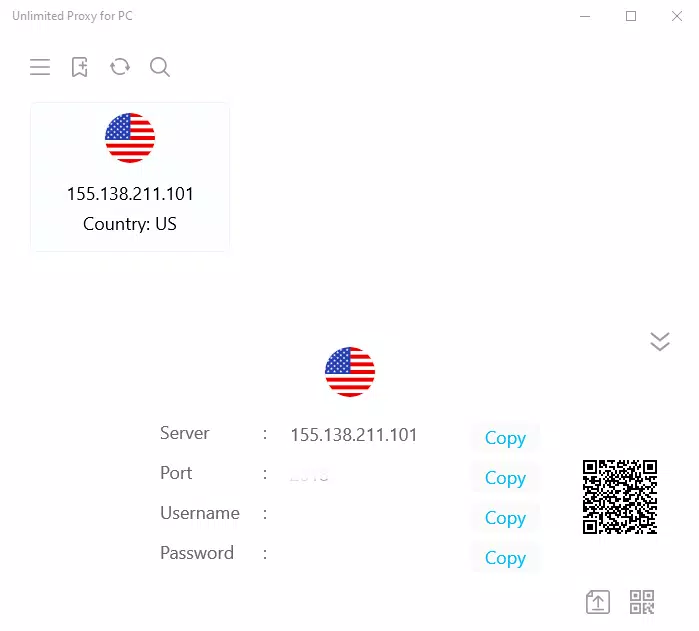
The interface of Unlimited Proxy for PC is designed with minimalism in mind, focusing on essential functions to reduce cognitive load. Navigation is straightforward, with a central connection button and clear status indicators. The visual layout is clean, using neutral colors and legible typography, which enhances readability and reduces eye strain during extended use.
Interaction flow is optimized for speed and simplicity. Users can initiate a proxy connection with minimal steps, and the app provides real-time feedback on connection status. The design prioritizes usability across different screen sizes and device types, though specific compatibility details were not provided.
Although the developer did not list formal performance metrics, the app’s lightweight structure suggests efficient operation on a range of devices. Users can expect stable connections and responsive behavior, particularly during short browsing sessions. The absence of ads and background processes likely contributes to smoother performance and lower battery consumption.
Stability appears to be a consistent aspect of the app’s design, with no reported issues related to crashes or freezes. However, detailed performance data across various hardware configurations was not disclosed. The app maintains a consistent experience across different usage scenarios, supporting its reputation as a reliable privacy tool.
Platform Compatibility & Technical Requirements
Unlimited Proxy for PC is available on Android and iOS platforms. The app supports the latest versions of both operating systems, though specific OS version requirements were not listed. The file size is reported as 15.2 MB, indicating a lightweight installation that does not consume significant storage space.
Users can install the app directly from official app stores or through direct APK download, depending on their device and preferences. The app does not require additional software or system-level permissions beyond standard network access. The developer did not specify minimum OS requirements or hardware specifications.
Pros and Cons
Pros
- No registration or login required for immediate access
- Strong focus on user privacy with no data logging
- Simple, clean interface suitable for all user levels
- Ad-free experience ensures uninterrupted use
- Flexible subscription options including a free one-day trial
Cons
- Specific OS version requirements were not disclosed
- Performance on older or low-end devices was not confirmed
- Developer background and company details were not provided
- Compatibility with certain network environments may vary
- No public information on server locations or connection speeds
FAQ
Is Unlimited Proxy for PC safe to use?
The app is designed with privacy in mind and does not store user logs. However, users should ensure they are downloading from official sources to avoid tampered versions.
Can I use Unlimited Proxy for PC without paying?
Yes, a free one-day trial is available. After the trial, users can choose from subscription plans for continued access.
Does the app work on both Android and iOS?
Yes, the app is available on both Android and iOS platforms.
Do I need to provide personal information to use the app?
No, the app does not require registration or any personal details.
How often does the app update?
Regular updates are released to improve stability and security, though specific update frequency was not disclosed.
Final Thoughts
Unlimited Proxy for PC stands out as a practical, privacy-first tool for users seeking anonymous web access without the hassle of registration or ads. Its minimal interface, strong privacy policies, and flexible subscription model make it a compelling choice for individuals who value digital freedom. While some technical details remain undisclosed, the app delivers on its core promise: secure, instant access with no strings attached.
It is ideal for students, remote professionals, and privacy advocates who need a reliable proxy solution. Whether testing connectivity with a free trial or committing to a long-term plan, users gain a straightforward way to protect their online identity.
Download Unlimited Proxy for PC now


